
What Is IPTV? 2026 Guide

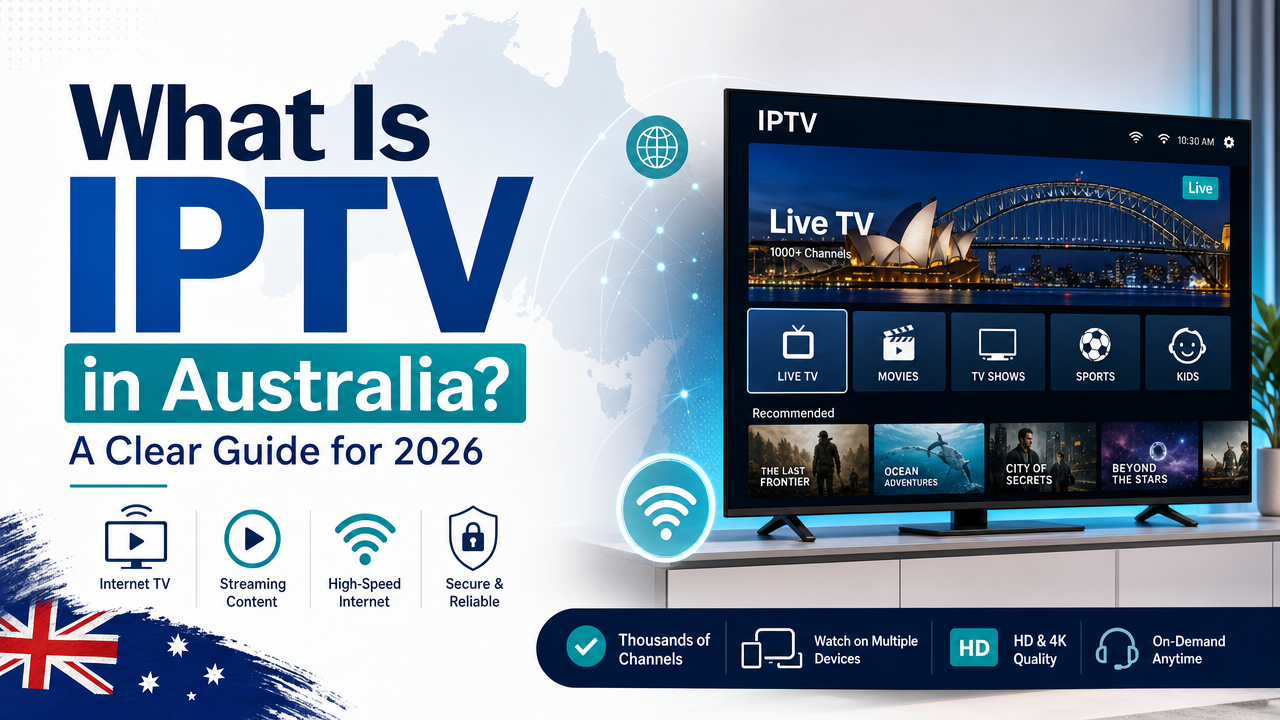
Tired of overpriced Foxtel bundles and flaky free streaming apps? You are not alone. Thousands of Aussie viewers are asking exactly what is IPTV and why it is suddenly everywhere. In simple terms, Internet Protocol Television (IPTV) sends live telly and movies through your internet plan. It skips old-school aerials and satellite dishes completely. This guide breaks down how internet TV works, what you need to start, and how to test a provider safely before spending a cent. Whether you live in Sydney, Melbourne, or a regional town, the rules stay the same.
So, What Is IPTV and How Does It Actually Work?
So, what is IPTV exactly? It stands for Internet Protocol Television. It delivers telly content through the same data networks you use for web browsing. Instead of capturing rooftop signals or a Foxtel satellite feed, your device receives video packets through your internet plan. Those packets reassemble in real time so you can watch live sport, news, and movies.
Traditional broadcasting blasts every channel to every home at once. You tune in and pick one. IPTV works differently. The provider sends only the channel you select, when you select it. This on-demand pipeline is why IPTV offers massive libraries alongside live streams. It is also why your internet speed and stability matter more than they ever did with free-to-air TV.
In Australia, this shift makes perfect sense. The NBN has reached most premises. Four-G and Five-G home internet plans are widely available too. That infrastructure means internet TV is no longer a tech hobbyist experiment. It is now a mainstream alternative to Kayo, Binge, or Stan. Many viewers want international channels that local platforms rarely carry.
Providers such as Sydney IPTV use dedicated servers to stream content directly to subscribers. You can browse the full range on the channels page before signing up.
The Three Main Types of IPTV Content
Not all IPTV is the same. Most services split their offerings into three buckets. Understanding these helps you decide what you actually need.
Live TV Streaming
This is the traditional telly experience delivered online. You flip through stations from Australia, the UK, the US, and beyond. A reliable Electronic Program Guide (EPG) shows what is airing now and what is next. With providers like Sydney IPTV, you get 28,000+ channels covering sport, news, and kids shows.
VOD (Video on Demand)
VOD is your on-demand movie and series library. Think of it like Netflix, but bundled inside the same app as live channels. The best providers offer 90,000+ VOD titles. You select a movie, press play, and watch instantly. There are no scheduling conflicts. If you miss a finale, you simply search for it later.
PPV and Catch-Up TV
Pay Per View (PPV) covers special events like UFC fights or boxing matches. These usually carry an extra fee on traditional platforms. Catch-up TV lets you rewind and watch shows that aired hours or days ago. These features close the gap between live broadcasting and total on-demand freedom.
How Is IPTV Different from Netflix, Kayo, or Foxtel?
You might wonder why you need IPTV if you already pay for Stan or Netflix. The difference is content variety and delivery model. Netflix and Binge focus on pre-recorded series and movies. Kayo is brilliant for Aussie sport, but it lacks live BBC, ESPN, or international news.
Foxtel Now tries to bridge that gap, yet the monthly bill climbs fast. In contrast, IPTV bundles live channels, VOD, and often PPV under one roof. Plans start as low as A$7.50 per month. For less than two coffees, you access a larger catalogue than any single mainstream platform offers.
The user experience is closer to old-school channel surfing than Netflix. You open an app, see a grid of channels, and jump straight into a live broadcast. That immediacy suits sports fans and news junkies who hate waiting for apps to buffer. It also means the whole family can watch different shows on different devices without fighting over a single remote.
There is also the hardware factor. Netflix and Stan work through their own apps. IPTV is more flexible. You bring your own device and app. This means you control the interface, favourites list, and recording options. It suits anyone who dislikes locked-down ecosystems.
Foxtel still dominates cable in some suburbs. However, its installation fees and long contracts put off renters and casual viewers. IPTV needs no technician. If you can plug in a Fire Stick or open a smart TV app, you are ready.
How IPTV Actually Reaches Your Screen
The magic behind IPTV is not actually magic. It is straightforward networking. Content sits on a provider’s server farm. When you press play, the server sends data packets across the internet to your device.
To make this work, your app needs a playlist. Most providers supply an M3U playlist link. This is a simple text file that tells your app where to find each channel stream. The Electronic Program Guide (EPG) attaches programme data to those streams. Together, the M3U and EPG turn a blank app into a full-featured TV guide.
You do not need a special box. Many Aussies use an Amazon Fire TV Stick because it is cheap and portable. Others prefer an Android TV box or a modern smart TV. You can even watch on your phone during the commute. Sydney IPTV supports all major platforms, so you are not locked to one device.
Because everything travels through your internet plan, speed matters. A stable 15 Mbps is usually enough for HD streaming. For 4K channels, aim for 25 Mbps or higher. If your household streams on multiple screens at once, add extra bandwidth. Buffering is almost always caused by local network congestion. It is rarely the provider’s 99.9% uptime guarantee at fault.
Setting up a Fire Stick is simple. Amazon sells them directly through the Amazon AU store, often with same-day delivery in capital cities.
Why Thousands of Aussie Households Are Making the Switch
The numbers do not lie. Over 87,000 subscribers now prefer internet TV over traditional bundles. Here is why the trend is accelerating into 2026.
First, the savings are undeniable. A basic Foxtel package runs well over A$50 per month. Kayo alone costs around A$25. Stan and Netflix add another A$20 combined. IPTV undercuts them all while supplying more content. That extra cash stays in your pocket for a weekend barbie.
Second, the content range is staggering. You get live AFL, NRL, cricket, and Formula 1. You also get Premier League football, NBA, and European news. No single local platform covers that breadth. For migrants and expats, IPTV delivers hometown channels unavailable on Australian streaming services.
Third, there are no locked-in contracts. You pay month to month. If you want to cancel during the quiet season, you do it instantly. Compare that to Foxtel’s early termination fees or hardware rental charges.
Finally, picture quality has caught up. With a decent internet plan, 4K streams are now standard on major channels. The stigma of blurry, laggy feeds is fading fast. Reputable providers invest in server capacity and 99.9% uptime because competition is fierce.
What to Check Before You Subscribe
Jumping at the cheapest deal can backfire. Here is a checklist to separate the pros from the cowboys.
- Channel count. Does the roster include Aussie networks and overseas stations you actually watch? Look for providers with 28,000+ channels and verify the channel list firsthand.
- VOD size. A big movie library is useless if it is full of dead links. Ask if the VOD section includes 90,000+ VOD titles that are updated weekly.
- Server stability. Downtime during the AFL grand final is unacceptable. Check reviews for uptime stats. Top-tier services advertise 99.9% uptime for a reason.
- EPG accuracy. A broken guide makes channel surfing frustrating. Confirm the Electronic Program Guide covers your favourite regions.
- Device support. Make sure the service works on your specific TV, phone, or tablet.
- VPN friendliness. If you travel or want extra privacy, check whether the provider allows Virtual Private Network (VPN) connections. Some block them entirely.
- Payment safety. Avoid providers that only accept sketchy wire transfers or anonymous crypto.
Do your homework. Read independent reviews and ask questions. A legitimate provider will not hide behind anonymous accounts. If you need clarity, visit the frequently asked questions page for straight answers.
How to Test an IPTV Service Safely
You would not buy a car without a test drive. The same logic applies here. Testing protects your wallet and your patience.
Start with a free IPTV trial. Reputable providers offer short trials so you can evaluate picture quality. Use this window to test during peak hours. Typically, that is between 7 pm and 10 pm AEST. That is when servers face the heaviest load.
Load the trial on the exact device you plan to use daily. A stream that runs perfectly on your phone might buffer on an older Android box. Check both live channels and VOD. Scroll through the EPG to see if programme data loads correctly.
Run a speed test on your Wi-Fi while the stream is active. If your speed drops below 10 Mbps, move closer to your router. Better yet, switch to an ethernet cable for consistent performance. Ethernet beats Wi-Fi every time for IPTV stability.
Never hand over credit card details for a free trial. Look for secure gateways or PayPal. After the trial, decide quickly. Good providers limit trial abuse, so they keep the window short for a reason.
Is IPTV Legal in Australia?
This is the question everyone whispers. The truth is nuanced. IPTV as a technology is completely legal. It is simply video delivered over internet protocol. The ABC’s iview and SBS On Demand are technically IPTV.
The legal grey area arises from content licensing. Some providers stream channels without proper distribution rights. Using those services may breach Australian copyright law. The customer risk is generally low, but it is not zero. Authorities typically target large-scale operators, not individual viewers. Still, you should know what you are signing up for.
Protecting yourself is simple. Choose a transparent provider with clear terms. Avoid services that promise every Hollywood movie ever made for A$2 a month. That pricing model does not cover licensing fees. Reasonable pricing, like plans from A$7.50 per month, suggests a sustainable business.
A Virtual Private Network (VPN) adds privacy but does not make illegal content legal. Think of it as locking your front door. It keeps out snoopers, but it does not change what is happening inside. Use a VPN for security, not as a licence to ignore copyright.
Quick Fixes for Common IPTV Headaches
Even the best services hit snags. Before you panic, run through these basic fixes.
- Buffering and freezing. Lower the stream quality from 4K to HD. Close background apps. Switch from Wi-Fi to ethernet if possible.
- No sound or out-of-sync audio. Restart the stream. In your app settings, toggle audio passthrough or change the decoder.
- EPG missing or wrong timezone. Reload the EPG source in your app settings. Check that your device clock matches Australian Eastern Standard Time.
- Login errors. Double-check your M3U link for typos. Passwords are case-sensitive. If you copied and pasted, watch out for blank spaces.
- Channel not loading. It might be a temporary server hiccup. Try again in five minutes or switch to the backup stream.
Most issues are local and solvable in under two minutes. If nothing works, reach out to support. The Sydney IPTV contact team responds quickly via WhatsApp to get you back on track.
Getting Started: Setting Up IPTV on Your Device
You do not need to be an IT wizard. Most Aussies are streaming within ten minutes. Here is how to do it.
Step 1 – Choose Your Device
Pick something you already own. Popular options include the Amazon Fire TV Stick, an Android TV box, or a Samsung smart TV. A smartphone or tablet works fine too.
Step 2 – Install a Compatible App
Search your app store for an IPTV player. IPTV Smarters, TiviMate, and XCIPTV are common choices. Download the one that feels easiest. Most are free or offer a small one-off premium upgrade.
Step 3 – Enter Your Credentials
Your provider will send an M3U playlist link or Xtream Codes login. Enter these into the app. The app then populates the channel list and EPG automatically. If you get stuck, check the setup guides on the FAQ page.
Step 4 – Optimise Your Settings
Enable hardware decoding if your device supports it. Set the buffer size to medium. Choose your default language. Organise favourites so your top channels sit at the top of the list. These tweaks turn a basic install into a smooth, telly-like experience.
You can learn more about compatible televisions on the official Android TV site.
Frequently Asked Questions
What is IPTV and is it legal in Australia?
IPTV, or Internet Protocol Television, is legal technology. Many Aussie broadcasters use it to deliver iview and SBS On Demand. However, some overseas providers stream content without local licensing rights. Always pick a transparent service with fair pricing to stay on the safe side.
Do I need a VPN for IPTV in Australia?
A Virtual Private Network (VPN) is not mandatory, but it helps. It encrypts your traffic and hides your location from your internet service provider. This is useful if you travel or simply value online privacy. Just remember, a VPN does not legalise unlicensed content.
Can I watch IPTV on a smart TV?
Yes. Most modern smart TVs run Android TV, webOS, or Tizen. You can download an IPTV player directly from the app store. Alternatively, plug in an Amazon Fire TV Stick or an Android box. Either option gives you full access to live channels and VOD.
How much does IPTV cost per month in Australia?
Prices vary, but quality services typically range from A$7.50 to A$15 per month. That is far less than Foxtel or a stacked Kayo and Netflix combo. Avoid deals that seem too cheap to be true. Sustainable pricing usually means better server stability and support.
What internet speed do I need for IPTV?
For HD streaming, a stable 15 Mbps is enough. For 4K content, aim for 25 Mbps or higher. If multiple people watch at once, add extra bandwidth. A wired ethernet connection always beats Wi-Fi for consistent performance.
By now you have a clear picture of what is IPTV, how it works, and how to test it safely. The key takeaway is simple. Choose a reliable provider, confirm your internet plan can handle the load, and always start with a trial. If you are ready to cut the cord and join over 87,000 happy streamers, visit the subscription page to get started today. Questions? Reach out through the WhatsApp contact page for fast, friendly help.
You might also like
Is IPTV Legal in Australia? 2026 Guide
Understand IPTV legality in Australia, including licensing, copyright basics, viewer checks, and how to assess a provider before paying.
Read article →
15 Best War Movies to Watch in Australia
War movies have always connected strongly with Australian audiences. They are not only about explosions, uniforms and battlefield spectacle. The best war…
Read article →
20 Best Sports Movies to Watch
Sports movies work because they turn competition into drama. A good sports film is never just about the scoreboard. It is about…
Read article →